
Reddy Book Login Password Reset: Full Guide for New & Old Users
A forgotten password looks like a small problem until your Reddy Book account holds personal details, transaction records, or an active balance. One wrong recovery link can turn a routine reset into an account takeover.
The biggest risk isn’t the password itself. It’s using the wrong Reddy Book login page, sharing an OTP with an unknown support contact, or installing a copycat APK after the original app stops opening.
Publicly indexed Reddy-branded pages show different recovery paths. Some display an in-account “change password” option and forced password changes, and others describe mobile-number verification through OTP. Users need to confirm the exact platform and account route before entering credentials.
This guide covers safer access recovery for new and old users. It doesn’t encourage real-money play. Account access may be needed to protect personal data, review activity, download records, or request account closure.
One Wrong Link Can Cost More Than a Forgotten Password
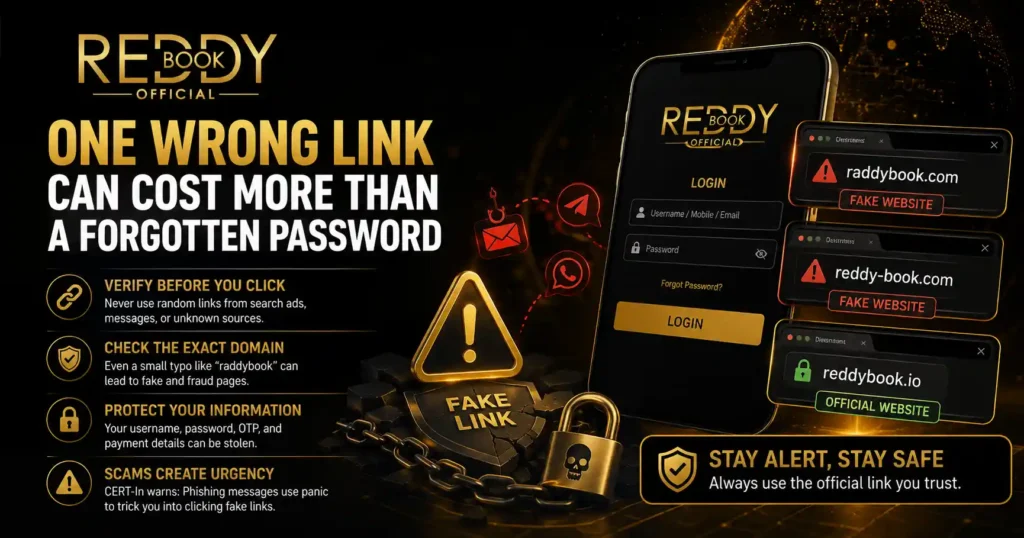
Reddy Book, Reddy Book Club, Reddybook IO, Reddy Anna Club, and similar names appear across search results, messages, social profiles, and APK pages. The naming overlap creates a dangerous opening for cloned pages that copy logos, login boxes, and support language.
Never begin a reset from a random search advertisement, forwarded Telegram post, or WhatsApp number saved under a familiar name. Start from the exact domain, app, or support conversation used when the account was created. Check the spelling character by character.
Typos such as “raddybook” can be more than harmless mistakes. Fraud pages often depend on users missing one letter, accepting an added hyphen, or overlooking a changed domain ending.
A page that looks familiar can still send your username, password, OTP, and payment details to another operator.
CERT-In warns that phishing messages often create urgency around account suspension and send users to counterfeit pages designed to steal login credentials. That warning closely matches password-reset scams: panic makes people click first and verify later.
The 90-Second Reddy Book Password Reset Route
Use this sequence only after verifying the real account page or app.
1. Open the Login Screen You Previously Used
Launch the bookmarked site, saved app, or verified account message. Avoid searching “reddy book club login” and opening the first result without checking its domain.
Look for Forgot Password, Reset Password, Change Password, or Need Help? The wording can vary across Reddy Book Club and related login panels.
2. Enter the Registered Account Detail
The recovery form may ask for a Reddy Book ID, username, registered mobile number, or email address. Use the detail linked to the account at registration.
Do not test several numbers or IDs repeatedly. Multiple failed attempts can trigger a temporary lock, rate limit, or extra verification step.
3. Request the OTP Once
Press the OTP or verification button one time, then wait for the message. Repeated taps can invalidate the earlier code and create confusion over which OTP remains active.
An OTP is a one-time credential. Never send it to a support agent, account manager, payment contact, or person claiming to “activate” the reset.
A genuine recovery system asks you to enter the code on the verified page or app.
4. Set a Completely New Password
Create a password that has no connection to your old one. Don’t change Reddy@123 into Reddy@124 or reuse the same password from email, banking, fantasy sports, or social media.
A stronger choice uses a long passphrase with unrelated words, numbers, and symbols. CERT-In guidance recommends unique passwords and warns users against sharing passwords or OTPs. ([CERT-In][3])
5. Sign In From One Trusted Device
After the reset, log in from your regular phone or computer. Avoid public Wi-Fi, cybercafé systems, shared office desktops, or a friend’s device.
Check the profile name, account ID, recent activity, and transaction history. Any unknown login, profile change, withdrawal request, or payment entry deserves immediate attention.
New Users and Old Users Fall Into Different Traps
| User type | Most common problem | Best first move |
|---|---|---|
| New user | Temporary password no longer works | Check the original account message and look for a forced password change |
| New user | ID was copied incorrectly | Match every character with the registration message |
| Old user | Registered phone number is inactive | Contact verified support and request an ownership review |
| Old user | Password remains saved on an old phone | Reset from the known domain, not from a newly found APK |
| Returning user | Domain or app has changed | Verify the replacement link through the original support thread |
| Locked user | Too many login attempts | Stop retrying and wait for the lock period or verified support response |
New users often receive a temporary password from an account provider. Some login systems force a password change on the first successful entry.
Create a private password immediately when that screen appears. Do not send the new password back to the person who issued the ID.
Old users face a different problem: their registered number, previous device, or saved URL may no longer be available. Recovery can then require manual identity checks.
Share only the minimum account information through a verified channel.
Never send a full bank statement, UPI PIN, card PIN, CVV, screen-sharing code, remote-access app code, or device unlock password. None of these details should be needed to reset a Reddy Book login password.
OTP Missing: Stop Hammering the Button
An OTP delay can come from a weak network, blocked SMS sender, full inbox, switched SIM, roaming issue, or temporary rate limit. Start with the basics: confirm signal strength, disable airplane mode, restart the phone, and check spam or blocked-message folders.
Confirm the last digits shown on the recovery screen. A masked number that doesn’t match your phone suggests the account may be linked to another number, or you may be on the wrong account page.
Wait before requesting another code. The newest OTP often cancels the previous one, so rapid requests can create a loop where every code appears invalid.
If no code arrives after a reasonable pause, capture a screenshot that hides private information. Record the time, account ID, device type, and exact error message.
Send those details to verified support without sharing your password.
Locked Out After Too Many Attempts: Stop Doing This
Repeated guessing rarely fixes a login. It can extend a temporary lock and make suspicious activity harder to separate from your own attempts.
Stop entering passwords once the system shows account locked, too many attempts, invalid user, or session blocked. Close the app or browser, clear only the site cache when needed, and return through the verified login route.
A locked account and a disabled account are not the same. A temporary lock may clear after a defined period. A disabled account may need identity review, compliance checks, or support action.
Ask verified support to confirm whether the problem is a temporary login lock, password failure, or account restriction. That wording can prevent endless reset attempts when the real issue sits elsewhere.
App, APK, Browser, or Reddybook IO: The Trust Test
A Reddy Book APK downloaded months ago may stop opening after an update, domain change, certificate problem, or removal. That does not make every replacement APK safe.
Do not install a Reddy Book Club APK from an unknown file-sharing page just to reset a password. A modified APK can capture keystrokes, read SMS messages, display fake payment pages, or redirect OTPs.
Check the app source, publisher name, file permissions, installation date, and update history. An app asking for contacts, accessibility control, screen capture, or SMS access deserves close scrutiny, especially when those permissions appear after an update.
The browser route can be safer when you already know the verified domain. Type the address manually or use a trusted bookmark.
Check HTTPS, but don’t treat the padlock as proof of ownership. Phishing sites can use HTTPS too.
Names such as reddybook app, reddy book app 2026, reddy book APK, reddybook club APK, reddy anna login, and Reddy Anna Book Login can lead to different pages. Treat every new link as unverified until it matches your original account records.
The Password Rule Most Users Ignore
A reset solves the access problem. It doesn’t solve the reason access was lost.
If the old password was reused elsewhere, change it on those accounts too. Start with the email account and mobile number connected to password recovery.
Anyone controlling your email or SIM may be able to reset the Reddy Book password again.
Use a password manager rather than screenshots, notes apps, chat messages, or contact names. A password manager can create and store a long, unique password without forcing you to memorise it.
Turn on two-step verification when the account offers it. Save backup codes offline. Review logged-in devices and remove any phone, browser, or location you don’t recognise.
Never save credentials in a shared browser. Log out after reviewing the account, then close all active sessions when that option appears.
Recovery Failures Decoded
“Invalid User” Appears
Check whether the form expects a username, Reddy Book ID, phone number, or email. Remove accidental spaces and match capital letters and numbers exactly.
“OTP Expired” Appears
Request one fresh code and use only the newest message. Confirm that the phone’s date and time are set automatically.
“Password Format Not Accepted” Appears
Follow the displayed rules for length, uppercase letters, numbers, and symbols. Avoid spaces at the beginning or end.
“Account Not Found” Appears
You may be using the wrong Reddy Book Club login domain, an old ID, or a page connected to another account system. Return to the original registration message.
“Access Denied” Appears
The account may be restricted rather than forgotten. Ask verified support whether the restriction concerns login security, identity review, location, or account status.
The Page Keeps Reloading
Clear the site cache, update the browser, or try a trusted second browser. Do not solve a reload problem by installing an unknown APK.
Account Back? Check These Five Things Before Leaving
- Profile details: Confirm the registered name, phone number, email, and Reddy Book ID.
- Login history: Review devices, timestamps, and locations for activity you don’t recognise.
- Transaction records: Flag unknown deposits, withdrawals, or payment requests.
- Security settings: Change recovery details only through the verified account panel.
- Open sessions: Sign out from every other device when that option appears.
Take screenshots of suspicious activity before closing sessions. Hide sensitive details before sending evidence to support.
When money or personal data appears compromised, secure your email, mobile number, UPI apps, and bank accounts first. Report financial cyber fraud through India’s official cybercrime channels and contact the relevant bank or payment provider without delay.
The 2026 India Rule Users Cannot Ignore
India’s Promotion and Regulation of Online Gaming Act, 2025 came into force on May 1, 2026. The law prohibits online money games, their advertising, promotion, facilitation, and related payment processing. Official government material states that unlawful platforms may be blocked.
That legal position changes how Indian users should approach searches such as “reddy book 2026,” “reddy book betting 2026,” “online cricket betting app,” or “best cricket betting app.”
A working login page does not prove that a service is lawful, registered, secure, or permitted for your use.
Account recovery should focus on protecting data, reviewing records, resolving unauthorised activity, or closing access. Do not send funds to “reactivate” a locked account. Do not pay a recovery fee to an unknown agent.
Users should verify current legal rules and platform status before taking any action linked to real-money gaming. Age claims, familiar branding, active WhatsApp support, and a polished app do not replace legal authorisation.
The Final 30-Second Login Checklist
- You opened the exact domain or app previously linked to the account.
- You checked the spelling of Reddy Book, Reddybook Club, or the related login name.
- You entered the registered ID, mobile number, or email.
- You kept the OTP private.
- You created a new, unique password.
- You reviewed login and transaction history.
- You removed unknown sessions.
- You did not install an unverified Reddy Book Club APK.
- You did not pay anyone to reset or unlock the account.
- You checked the current Indian legal position before using any money-based feature.
Final Word: Recover Access, Then Protect the Account
A Reddy Book login password reset should take only a few controlled steps: verify the real login route, request one OTP, create a unique password, and review the account for unfamiliar activity.
The bigger task begins after access returns. Secure the connected phone and email, remove unknown sessions, avoid copycat APK files, and keep every recovery code private.
A fast reset is useful. A verified reset is safer.
