
Reddy Book Login 2026: Step-by-Step Guide to Access Your Account Easily
An account login can look like a 30-second task. In 2026, the bigger issue is not typing a username and password. It is knowing whether the page in front of you is genuine, whether the app file is safe, and whether the service can legally operate where you live.
Searches for reddy book, reddy book club, reddybook io, reddy anna club, and similar names can produce several lookalike pages. Some use nearly identical colours, logos, support messages, and login forms. That makes the first click more serious than the password field.
This guide explains how an existing adult user can approach account access without handing credentials to a copycat page. It covers the ID 2026 login flow, password recovery, mobile access, APK risks, and the legal position Indian users need to check before proceeding.
No login guide should push you past a warning screen, blocked page, missing licence detail, or suspicious payment request. If a platform cannot prove who operates it, stop there.
The Login Trap Most Users Miss in 2026
The biggest login mistake happens before the sign-in screen appears. Users search a broad phrase, open the first result, and assume a familiar logo means the domain is genuine.
That assumption is risky. Search results surface several sites using Reddy Book Club, Reddy Anna, and related login branding, so independent verification is necessary.
Do not treat “official,” “verified,” “2026,” or “secure” as proof. Check the exact domain, operator details, terms, grievance route, and legal basis for serving users in India.
Before You Enter Your Account ID, Run This Five-Point Test
| 1. Use a link you previously verified | The safest starting point is a domain you saved after confirming it through a trusted account communication. Avoid links sent through random Telegram accounts, WhatsApp numbers, social media comments, or SMS messages promising a new Reddy Book ID 2026. A support agent should never need your password, UPI PIN, or one-time password. |
|---|---|
| 2. Read the domain one character at a time | Lookalike addresses often swap letters, add hyphens, or use a different ending. Terms such as raddybook, reddybook club, and reddybook.club apk are common search variations, but a search phrase is not proof of ownership. Check the address bar before entering anything. A padlock only means the connection is encrypted; it does not confirm that the operator is genuine. |
| 3. Check who runs the service | A legitimate service should publish the operator’s legal name, contact address, privacy policy, terms, complaint process, and age rules. Missing company details are a major warning. India’s 2026 rules require registered online social games and e-sports to display determination or registration details. The rules took effect on May 1, 2026. |
| 4. Confirm the page is asking for normal login details | An ordinary login page should request the identifier linked to the account and the password. It should not demand a fresh deposit, remote-screen access, an APK install, or identity documents through a chat message merely to sign in. Upload KYC documents only inside a verified account area. Never send Aadhaar, PAN, a selfie, or bank statements to an unknown number. |
| 5. Stop after repeated failures | After two or three failed attempts, stop guessing. Use the password-reset route on the verified page rather than creating a second account. |
Step-by-Step Reddy Book Login for an Existing Account
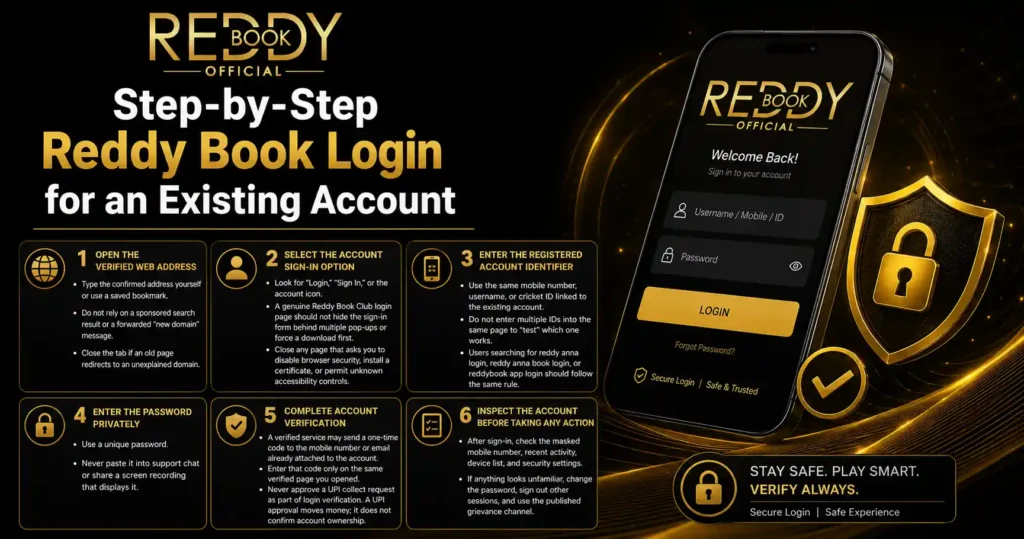
Step 1: Open the verified web address
Type the confirmed address yourself or use a saved bookmark. Do not rely on a sponsored search result or a forwarded “new domain” message.
Close the tab if an old page redirects to an unexplained domain.
Step 2: Select the account sign-in option
Look for “Login,” “Sign In,” or the account icon. A genuine Reddy Book Club login page should not hide the sign-in form behind multiple pop-ups or force a download first.
Close any page that asks you to disable browser security, install a certificate, or permit unknown accessibility controls.
Step 3: Enter the registered account identifier
Use the same mobile number, username, or cricket ID linked to the existing account. Do not enter multiple IDs into the same page to “test” which one works.
Users searching for reddy anna login, reddy anna book login, or reddybook app login should follow the same rule: the account identifier belongs only on a domain whose ownership has been confirmed.
Step 4: Enter the password privately
Use a unique password. Never paste it into support chat or share a screen recording that displays it.
Step 5: Complete account verification
A verified service may send a one-time code to the mobile number or email already attached to the account. Enter that code only on the same verified page you opened.
Never approve a UPI collect request as part of login verification. A UPI approval moves money; it does not confirm account ownership.
Step 6: Inspect the account before taking any action
After sign-in, check the masked mobile number, recent activity, device list, and security settings. If anything looks unfamiliar, change the password, sign out other sessions, and use the published grievance channel.
Locked Out? One Wrong Move Can Make It Worse
A failed sign-in often comes from one of four causes: an incorrect password, an expired session, a changed domain, or an account restriction. Treat each cause separately.
Start with the built-in “Forgot Password” option on the verified page. A reset should go to the registered phone number or email, not to a support agent’s personal number.
If no reset message arrives, check spam folders and SMS settings. Never pay a “reactivation charge” to an individual.
If the account is blocked, wait for the stated lock period and contact support through details published on the verified site. Keep ticket numbers and written replies.
The APK Shortcut That Can Cost More Than a Password
Many users search for reddy book app 2026, reddy book APK, reddy book club APK, or reddybook club APK after a page fails to load. That search can lead to files hosted outside recognised app stores.
An APK can request access to SMS, contacts, notifications, screen overlays, or accessibility services. Those permissions can expose OTP messages and banking alerts.
Do not install a file sent by an agent. Do not switch off Play Protect, ignore an Android warning, or grant accessibility access to complete an app login.
If an app is already installed, review its permissions and uninstall it if the publisher cannot be verified. For account recovery, a verified web route avoids many risks created by unknown installation files.
The Name Maze: Reddy Book, Reddybook Club, and Reddy Anna
The Reddy name appears in many keyword combinations: reddy book club, reddybook club, reddy anna club, reddyanna, reddy kings login, and reddy app. Similar branding can make separate domains look connected even when no public company record proves that link.
Do not assume one password should work on every Reddy-branded page. Entering the same credentials across several sites can hand a valid login to a fake operator.
The typo raddybook deserves extra care. Attackers often register misspelled domains to catch users who type quickly. Search engines may still display such pages if they match popular wording.
The same warning applies to reddybook io. Never build a domain by guessing from a keyword.
The 2026 India Rule That Changes the Entire Picture
India’s Promotion and Regulation of Online Gaming Act, 2025 prohibits offering, promoting, participating in, and facilitating online money games. It also bars advertisements that induce participation and restricts fund transfers connected to online money gaming services.
The Promotion and Regulation of Online Gaming Rules, 2026 came into force on May 1, 2026 and set out the registration and determination process for online social games and e-sports.
For an Indian user, a betting page cannot be treated like an ordinary sports-news or fantasy page. Before logging in, funding an account, or installing an app, check whether the service is legally permitted and registered for the activity it offers.
Do not use a VPN, mirror site, alternate domain, or third-party payment route to bypass a block. A blocked page is not a technical puzzle to solve.
When money or identity documents are involved, advice from a qualified Indian legal professional is safer than a promise from a chat agent.
Seven Red Flags That Mean Close the Page
- The domain arrived through an unsolicited WhatsApp or Telegram message.
- The page asks for your OTP, UPI PIN, screen-share access, or banking password.
- Support demands a payment to restore the account ID.
- The login page redirects to several unrelated domains.
- An app file asks you to disable device protection.
- The operator name, address, privacy policy, and grievance route are missing.
- The service tells you to bypass an Indian block through a VPN or mirror link.
One red flag may be enough.
A Safer Account-Security Checklist
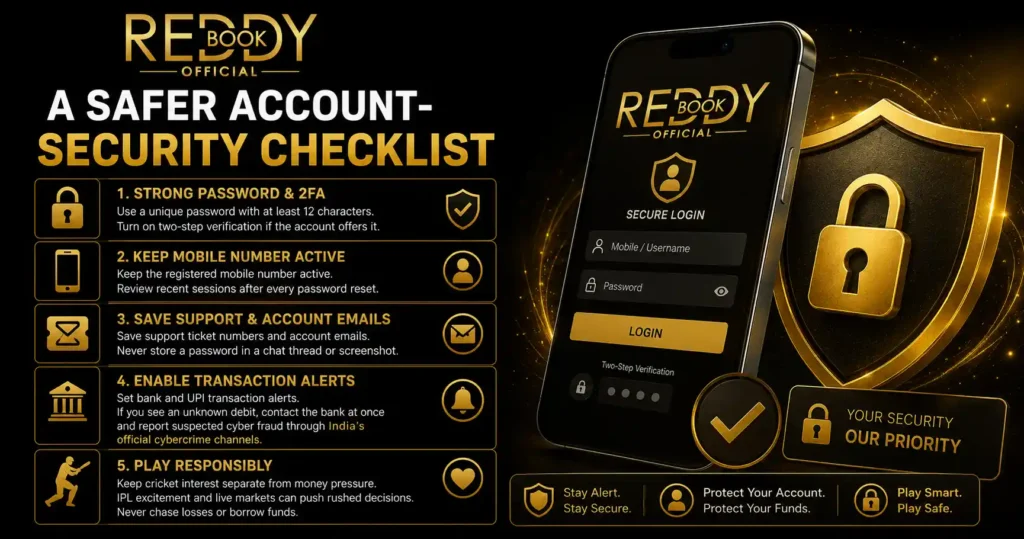
Use a unique password with at least 12 characters. Turn on two-step verification if the account offers it.
Keep the registered mobile number active. Review recent sessions after every password reset.
Save support ticket numbers and account emails. Never store a password in a chat thread or screenshot.
Set bank and UPI transaction alerts. If you see an unknown debit, contact the bank at once and report suspected cyber fraud through India’s official cybercrime channels.
Keep cricket interest separate from money pressure. IPL excitement and live markets can push rushed decisions. Never chase losses or borrow funds.
The Final Call Before You Log In
A safe login in 2026 begins with verification, not credentials. Confirm the domain, operator, legal status, and account-recovery route before entering a Reddy Book ID 2026 or installing any Reddybook app.
If the page is blocked, the operator is unclear, or an agent asks for money or private codes, stop. Protecting your phone, identity, and bank account matters more than regaining access to any betting account.
